|
Artwork
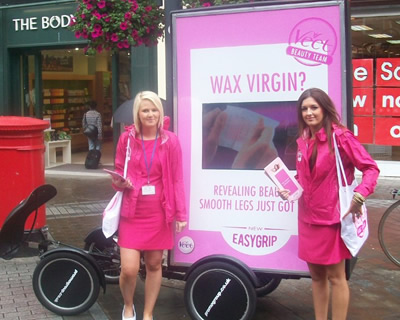
Specification for Promosegway for
wrapping the front shield and hub caps Vector
files are preferred
Whenever possible vector files should
be sent. Bitmap images have resolution
requirements for scalability whereas a
vector image can be made as large as
necessary.
How to send Bitmaps/Photos
When sending Bitmaps 300dpi should be
considered a minimum as image quality
degrades when increasing scale. A
general rule is that for every 100%
increase in size resolution is cut in
half (a 4 " X 4 " image at
300dpi will become 150dpi when size is
increased to 8 " X 8 ").
Properly scaled images with sufficient
resolution will be between 40 and 150
MEGS for proper resolution at press.
Size your image proportionate to
the final production size
For vector images the scale doesn't
matter, only the proportions. However,
when sending a bitmap file, 20% of the
final production size at 300dpi is the
recommended minimum size and scale,
more never hurts.
Specify all PMS colours
The Pantone Matching System provides a
reference colour to target as all PMS
colors are not 100% reproducible
utilizing CMYK production. All colour
specifications will be matched to the
closest 4 colour process. Orders
received without colour specifications
will be produced using the CMYK values
contained in the digital file. Calls
for colours, or reproofs for colour
adjustments on orders with no
call-outs, may result in additional
charges.
Include a printed copy of the
desired layout
All artwork must be accompanied by a
colour hard copy with PMS colours
specified.If PMS call-outs are not
available please send an approved
output to match to (brochure,
previously printed piece, etc.).We do
not print flourescent or metallic
colours.
Build your blacks
We require that all black spot colours
be built blacks (see breakdown). 70 C,
70 M, 70 Y, 100 K. This will ensure a
true, rich black every time.
Images copied from the web generally
will not work
Graphics requirements for web images
are far more forgiving than with
digital production. Web pages
generally contain low-resolution
(72dpi) bitmap images that cannot be
scaled efficiently. Original image
files are required.
When sending PC & MAC files
include your fonts
Be sure when sending fonts from your
PC & MAC that you include both the
screen and printer versions. ALWAYS
CONVERT TEXT TO CURVES, this
eliminates all font issues such as
defaulting or drop-outs. Never send
bitmap text as this eliminates edit
capabilities.
Acceptable applications
We have both MAC and PC capabilities
though MAC is the preferred format.
The following applications and file
formats should be used when sending
digital art.
Applications
Photoshop (preferred when using bitmap
imagery)
Illustrator (preferred when using
vector imagery)
Quark Xpress 4 or 5
Formats
Illustrator (.ai)
Encapsulated Postscript (.eps)
TIFF (.tiff)
JPEG (.jpg)
PDF (.pdf) Please make sure fonts are
embedded
Media
CD-ROM
ZIP
3.5 " Floppy
Original Art (scans are limited to
11" X 14")
Compression Utilities
Stuffit - MAC
Winzip - PC
Always include all support files
When placing logos, images or linking
files to a layout, always include
those individual files in their native
format (e.g.Photoshop.psd) or in an
approved format (see above).
E-mailed art
E-mail will be accepted. Vector files
and small picture files can be
e-mailed. Larger files, (above 10
MEGS), need to be posted on the FTP
site or sent in on disk. Any art which
is e-mailed needs to be accompanied by
a faxed layout, to confirm that the
file was received correctly and a PDF
file of final artwork. An approved
Compression Utility, (see above),
could be used to reduce file size and
reduce the risk of file corruption.
Please, no self-extracting files.
Please email the ready artwork using
reference 'Promogroup' to Covered UK
Ltd Your contact is Michael
Lyons his details are below: T;
020 8906 6682
M; 07884 386 919
E; ml@covereduk.co.uk Daws
House
33-35 Daws Lane
London
NW7 4SD
|